Your chicken wings are turning into charcoal because the timer skipped again. Whether you just unpacked your Cuisinart air fryer or need to adjust cooking time mid-recipe, wrestling with confusing controls ruins the cooking experience. This guide delivers the exact button sequences and dial techniques for every Cuisinart model—no manual hunting required. You’ll learn how to set, adjust, and troubleshoot time settings in seconds, ensuring crispy results every time.
Digital Model Time Setting (TOA-60/65/70 Series)
Initial Time Setup Sequence
Power on your TOA-60, 65, or 70 series unit and select your cooking function first using the dial. Press the TIME/TEMP button once to highlight the time display—watch for the blinking indicator. Now use the + or – buttons to adjust in precise 1-minute increments. For faster adjustments, hold either button to jump 5-10 minutes per second. Note that the display automatically switches from MM:SS to HH:MM format once you exceed 60 minutes. Always confirm your setting before pressing START/STOP to avoid undercooked meals.
Mid-Cook Time Adjustments Without Restarting
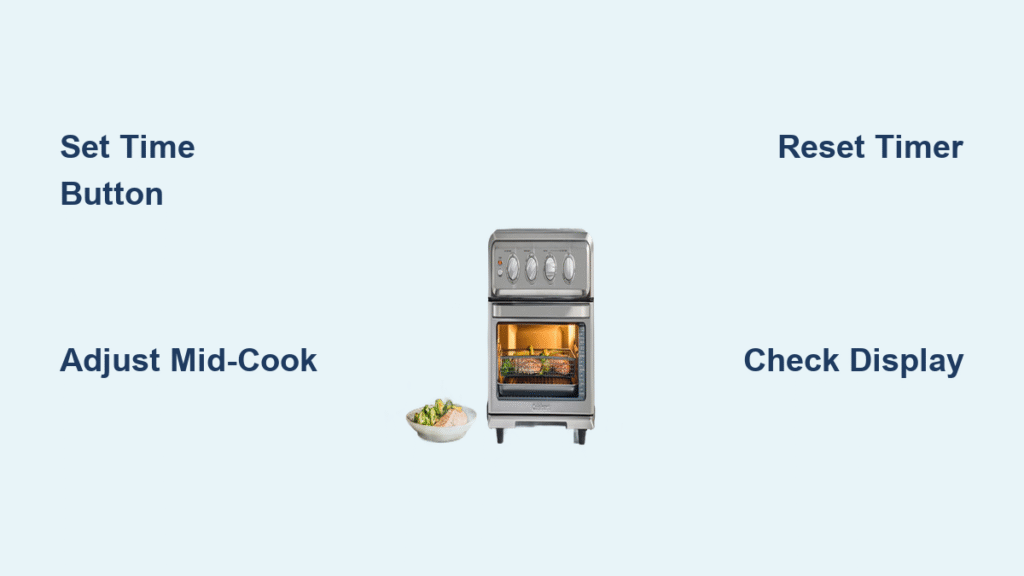
When your salmon needs extra crispness halfway through cooking, press START/STOP once to pause without resetting progress. The display will flash, indicating adjustment mode. Immediately press TIME/TEMP to toggle to time settings, then use +/- buttons to add or reduce minutes. Your food remains safely in the basket during this process—no opening required. Press START/STOP again to resume with the new time. This feature prevents heat loss and maintains consistent cooking results.
Leveraging Preset Time Memory
These digital models remember your last time setting for each function—perfect for weekly recipes. Select “Air Fry” and it defaults to your previous wings timing. To override preset times, simply adjust before starting. The 8 preset functions (like Frozen Fries or Vegetables) have factory-programmed durations, but all can be manually adjusted using +/- buttons. This flexibility means you’re never locked into generic cooking times.
Analog Dial Control Time Adjustment (AFR-25/Compact Models)

Setting the Timer for First Use
For AFR-25 and Compact models, rotate the 60-minute dial clockwise until you hear distinct clicks—each click equals 5 minutes. Never force the dial past the 60-minute mark as it may damage the mechanism. Crucially, the timer auto-starts heating elements as soon as you turn it past the 5-minute position, so set your time quickly. The maximum setting is 60 minutes, ideal for most air frying tasks. If you hear grinding noises, stop immediately—debris might be jamming the dial.
Modifying Time During Active Cooking
While cooking bacon in your analog model, you can rotate the dial forward to add time or backward to reduce it. Critical safety note: The timer cannot be set below 5 minutes while active—this prevents accidental shutdowns. When the bell rings at zero, simply reset the dial for additional cooking without restarting the unit. If the dial feels stiff during adjustments, unplug the unit first to avoid electrical risks.
TOA-95 Touchscreen Time Programming
Precise Time Control and Quick Settings
The TOA-95’s color touchscreen offers surgical time precision. Tap the time slider for 30-second increments—essential for delicate foods like fish. Alternatively, use the pre-programmed shortcut buttons (15, 30, 45, 60 minutes) for instant settings. The display shows a visual progress bar alongside MM:SS countdown, eliminating guesswork. For multi-part recipes, tap “Add Stage” to program up to 4 consecutive cooking phases with different times and temperatures—perfect for searing then finishing proteins.
Multi-Stage Cooking Time Setup
Create complex cooking sequences by setting time for Stage 1, then tapping “Add Stage”. Repeat for subsequent stages, with each phase automatically transitioning when complete. The display clearly indicates active stages with colored highlights. This feature shines for recipes requiring initial high-heat crisping followed by gentler finishing—like achieving golden potatoes without burning. Always confirm all stage times before starting to avoid mid-cook interruptions.
Fixing Common Time Setting Problems

Unresponsive Display Troubleshooting
If your digital display freezes during time adjustment, unplug for 30 seconds then reconnect—this resets temporary glitches. Check for child lock activation (indicated by a padlock icon) by holding the STOP button for 3 seconds. During brief power outages, settings persist for 60 seconds, but longer interruptions require reprogramming. If issues continue, clean the control panel with a dry microfiber cloth—moisture or grease often causes button malfunctions.
Timer Not Advancing or Inaccurate Time
For analog models with stuck dials, remove crumbs around the knob using a toothpick—debris jams the mechanism. Digital units displaying incorrect time need factory resetting: hold FUNCTION + TEMP for 5 seconds until the display flashes. Calibrate monthly by running a 10-minute cycle against your phone timer. If discrepancies exceed 30 seconds, access calibration mode by holding TIME/TEMP + + for 3 seconds.
Emergency Time Reset Commands
When seconds count, double-press TIME to revert to default time for your selected function. Hold + and – together for instant max/min time jumps. For immediate shutdown during emergencies, press STOP twice within 2 seconds—this halts all functions safely. These shortcuts prevent burnt meals when you’re distracted by kitchen chaos.
Advanced Time Features for Pro Results
Delayed Start Programming with Safety Blocks
Available only on TOA-65 and TOA-95 models, delayed start lets you prep meals in advance. First set your cooking time, then tap DELAY START and adjust delays up to 12 hours in 30-minute increments. Critical limitation: The unit blocks delays over 2 hours for raw meat programs to prevent bacterial growth. This feature shines for breakfast timing—load ingredients before bed and wake to cooked hash browns.
Keep Warm Function After Cooking
Enable this in settings to automatically maintain 170°F for 30 minutes when the timer hits zero. No more cold fries during family dinner delays! The function activates only if you select “Keep Warm” before starting—check the settings menu to confirm it’s enabled. It consumes minimal energy while preserving texture, but never exceed the 30-minute window for food safety.
Creating Custom Time Presets
Store your favorite settings by holding FUNCTION + PRESET for 3 seconds. Use +/- buttons to name presets like “Wings 22min” by scrolling through the alphabet. The unit saves up to 6 combinations, learning from your cooking patterns over time. TOA-95 models even adjust times automatically based on basket weight—place chicken wings in, and it suggests optimal duration.
Model Comparison: Time Settings at a Glance

| Model | Max Time | Increments | Mid-Cook Edit | Display Type |
|---|---|---|---|---|
| TOA-60 | 60 min | 1 min | Yes | LED |
| TOA-65 | 72 hrs | 1 min | Yes | LCD |
| TOA-70 | 60 min | 1 min | Yes | LED |
| TOA-95 | 24 hrs | 30 sec | Yes | Touchscreen |
| AFR-25 | 60 min | 5 min | Yes | Analog dial |
This comparison reveals why TOA-65 owners enjoy marathon cooking sessions (72-hour max time), while TOA-95 users benefit from 30-second precision. Analog AFR-25 models sacrifice granularity for simplicity—ideal for beginners. Choose based on your cooking style: frequent bakers need TOA-65’s extended range, while precision-focused cooks prefer TOA-95.
Pro Tips for Time Accuracy and Maintenance
Monthly Timer Calibration
Test your timer monthly against a phone stopwatch—start both simultaneously and compare at 10 minutes. Analog models have an adjustment screw on the back panel; turn it gently with a flathead screwdriver if off by more than 30 seconds. Digital units enter calibration mode by holding TIME/TEMP + + for 3 seconds. Always calibrate after major power outages.
Battery Backup for Settings
The hidden CR2032 battery behind the control panel (replace every 2-3 years) maintains presets during outages. Weak batteries cause random time resets—replace immediately if settings vanish after unplugging. To access it, remove the control panel screws, slide out the battery holder, and insert a new coin cell. This 2-minute fix saves hours of reprogramming.
Mastering these time adjustment techniques transforms your Cuisinart air fryer from frustrating gadget to kitchen hero. Bookmark this guide for quick reference during cooking emergencies—your perfectly timed meals depend on it. For ongoing success, perform monthly timer checks and replace the backup battery proactively. Now go cook with confidence, knowing you’ve conquered the clock.