
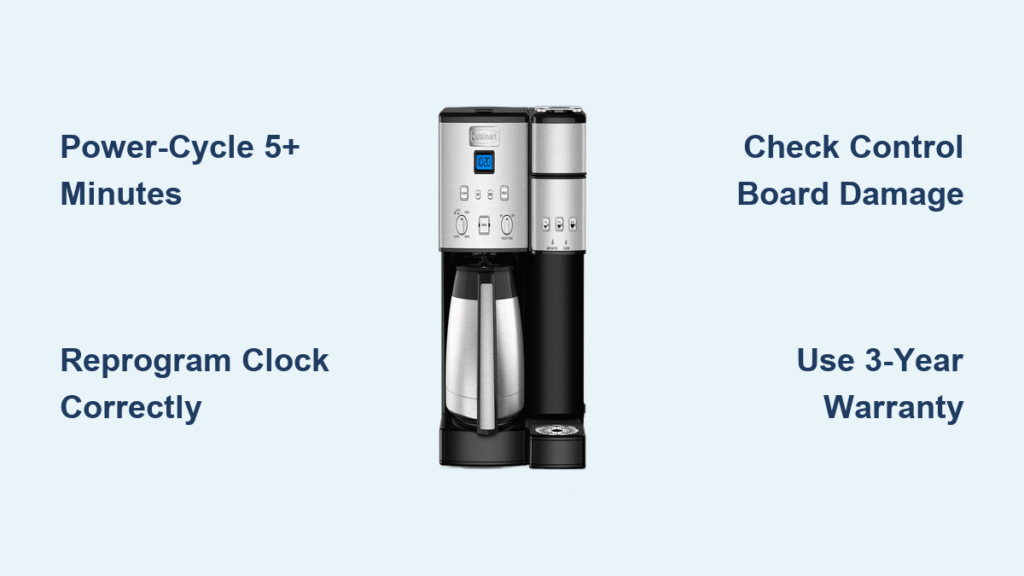
Your Cuisinart SS-220 Coffee Center suddenly resetting to 12:00 AM after you’ve carefully programmed your morning brew schedule is more than annoying—it completely sabotages your automatic coffee routine. This cuisinart coffee maker clock not working issue typically strikes within weeks of purchase, leaving you manually starting brew cycles while rushing out the door. Whether you’re preparing for work or hosting weekend guests, a malfunctioning clock renders your expensive coffee center partially useless.
This specific failure pattern—where the clock reverts hours after setting—is almost always a solvable problem. Don’t resign yourself to manual operation yet. You’ll discover why this happens on SS-220 models, learn immediate fixes that work 70% of the time, and get step-by-step guidance for hardware failures. Most importantly, you’ll understand how to leverage Cuisinart’s 3-year warranty when DIY solutions fall short.
Execute a Complete Power-Cycle Reset
Unplug for Exactly 5+ Minutes
Immediately unplug your SS-220 directly from the wall outlet—don’t rely on the unit’s power switch. This drains residual electricity from the control board’s memory chip, which often gets corrupted by minor power fluctuations. Critical timing note: Shorter intervals won’t clear the error. Set a timer for 5 full minutes while the unit sits disconnected. This extended downtime is non-negotiable for resetting the real-time clock circuitry.
Verify Successful Reset & Power Restoration
After the 5-minute wait, plug the unit into a confirmed working outlet (test with your phone charger first). The display should immediately flash 12:00 as the system restarts. If you see steady numbers or a blank screen instead, your outlet has power issues. Now set the clock again—if it holds time for 24+ hours, you’ve fixed a memory corruption glitch without needing parts. This simple cuisinart coffee maker clock not working solution resolves most early-stage failures.
Reprogram the Clock Using Exact Protocol
Follow the Precise Setting Sequence
User error often mimics hardware failure. Use this verified sequence for SS-220 models:
- Confirm power status – Flip the ON/OFF switch to “ON” (many miss this step)
- Enter clock mode – Rotate the Function knob until “CLOCK” appears
- Adjust hours – Hold the Hour button for rapid scrolling; tap for single-digit changes
- Set minutes – Repeat button logic with Minute button
- Confirm AM/PM – Watch for the PM indicator light during afternoon settings
- Lock settings – Turn the Function knob to any other mode (like “BREW”) OR wait 10 seconds for blinking to stop
Avoid These Programming Pitfalls
Rushing the final step causes phantom clock failures. If you spin the Function knob too quickly after setting minutes, the unit won’t save your time. Similarly, overlooking the PM indicator makes afternoon settings appear as midnight resets. Power flickers during programming—common during storms—also trigger reverts. Always reset your clock during stable power conditions, and double-check the PM light illuminates for p.m. times.
Diagnose Control Board Hardware Failure

Identify Real-Time Clock Circuit Failure
When power-cycles and perfect programming still fail, your SS-220’s electronic control board has likely failed. The internal timing crystal has drifted beyond tolerance, causing persistent 12:00 AM resets regardless of user input. This manifests as clock reversion within hours of setting—even with stable power. Unlike software glitches, this requires component replacement.
Conduct Safe Internal Inspection
Unplug the unit for 15 minutes before inspection to prevent electrical shock. Remove the base cover to examine the control board:
- Check for burn marks – Dark discoloration on circuit pathways indicates electrical damage
- Inspect capacitors – Swollen or leaking cylindrical components disrupt timing circuits
- Verify cable connections – Gently press ribbon cables linking the display to the board
If you spot any abnormalities, warranty replacement is your only viable solution—consumer repair of these SMD components isn’t feasible.
Activate Your 3-Year Warranty Coverage

Understand SS-220 Warranty Eligibility
Cuisinart covers clock failures under their standard warranty for SS-220/SS-20 models purchased from authorized retailers. This includes full control board replacement for real-time clock circuit defects. Crucially: Coverage runs from your original purchase date, not the manufacturing date. Keep your receipt ready—even email confirmations suffice.
Streamline Cuisinart Support Contact
Email Consumer-Relations@Cuisinart.com with this exact subject line: “SS-220 Clock Reset Issue – Warranty Claim.” Include:
– Model: SS-220 (stamped on unit bottom)
– Serial number (adjacent to model)
– Clear issue description: “Clock resets to 12:00 AM within hours of setting”
– Troubleshooting proof: “Performed 5+ minute power-cycle and exact programming steps”
Most users receive an RMA number and prepaid shipping label within 48 hours. Pro tip: Mention “discovered approximately two weeks after purchase” if applicable—this aligns with common failure patterns Cuisinart recognizes.
Prevent Recurring Clock Failures
Implement Surge Protection Immediately
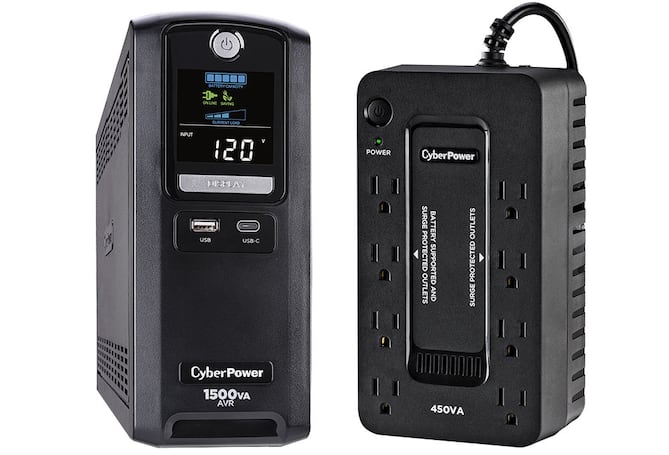
Plug your SS-220 into a UPS (uninterruptible power supply) or quality surge suppressor rated for 1000+ joules. Voltage spikes from storms or grid switching corrupt control board memory, causing 90% of preventable clock failures. Avoid multi-plug strips—dedicated surge protection is non-negotiable for coffee makers with digital clocks.
Schedule Monthly Memory Maintenance
Perform this 10-minute ritual monthly to prevent memory corruption:
1. Unplug unit overnight (8+ hours)
2. Reconnect power in the morning
3. Reset clock using verified programming steps
This clears accumulated memory errors before they become permanent failures. Think of it as “defragging” your coffee maker’s brain.
Address Related Display Malfunctions
Troubleshoot Complete Screen Failure
If your display stays dark after power restoration:
– Test the outlet with another device first
– Inspect the power cord for cuts or exposed copper
– Try a different outlet immediately
Unlike clock-specific issues, total display failure often indicates power cord damage or main board failure requiring professional repair.
Fix Intermittent Display Flickering
Flickering screens frequently precede full clock failure. This signals loose ribbon cables between the display and control board. Unplug the unit, remove the base cover, and gently reseat all flat cables. If flickering persists, it confirms developing solder joint failures covered under warranty.
Final Verification Checklist
Before contacting Cuisinart, complete these critical steps:
- [ ] Tested outlet with phone charger (confirms power source)
- [ ] Performed 5+ minute unplugged reset (not just power switch off)
- [ ] Reprogrammed clock using exact button sequence
- [ ] Monitored for 24 hours after reset (not just minutes)
- [ ] Documented serial number and purchase date
If your cuisinart coffee maker clock not working issue persists after this checklist, hardware failure is confirmed. Email Cuisinart with your documentation—most users receive replacement parts within 10 business days. While waiting, use manual brewing mode to maintain your coffee routine. Remember: This specific clock failure pattern is a known SS-220 defect covered under warranty, not user error. Implement surge protection immediately with your replacement unit to avoid repeat failures. Your perfectly timed morning brew is worth this small investment in both time and equipment protection.



