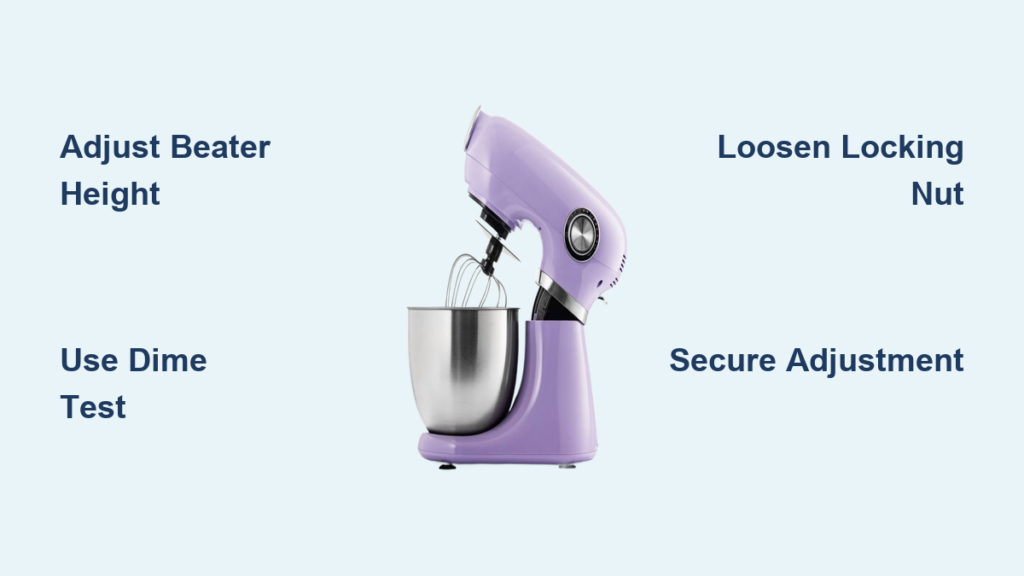
Your KitchenAid stand mixer isn’t performing like it used to. Maybe the beater is scraping the bottom of the bowl during every batch of cookie dough, or you’ve noticed ingredients sticking to the bottom despite extended mixing time. These frustrating symptoms usually point to one common issue: incorrect beater-to-bowl clearance. The good news is that adjusting this clearance is a simple DIY task that takes less than fifteen minutes and requires only a single flathead screwdriver.
KitchenAid bowl-lift stand mixers feature an adjustable shaft mechanism designed specifically for this purpose. The manufacturer recommends maintaining approximately 1/8 inch (3 mm) of space between the bottom of the beater and the interior surface of the bowl when the beater is fully raised. This clearance prevents damage to both the bowl and the mixing attachment while ensuring ingredients are thoroughly incorporated during every use. In this guide, you’ll learn exactly how to perform the dime test, identify clearance problems, and make precise adjustments to restore your mixer to peak performance.
Why Your KitchenAid Mixer Beater Scrapes the Bowl Bottom
When your beater drags across the bowl surface during operation, it’s not just annoying—it’s damaging your equipment. This scraping happens when the clearance between beater and bowl is too tight, typically less than the recommended 1/8 inch. The consequences are immediate and serious: you’ll hear that unmistakable grinding noise, see visible scratches developing on both the beater and bowl, and feel extra resistance as the mixer works harder than it should.
This constant contact creates three major problems you can’t ignore:
– Accelerated wear on both the bowl’s enamel and the beater’s coating
– Added strain on the mixer’s motor that can shorten its lifespan
– Inconsistent mixing results that ruin your recipes
Conversely, when the clearance is too loose, your beater floats too high in the bowl. Ingredients collect stubbornly at the bottom, forcing you to stop frequently and scrape down the sides manually. You’ll notice dough sticking to corners during bread mixing or flour pockets in cake batter—defeating the entire purpose of owning a stand mixer. Proper clearance adjustment solves both scenarios and restores your KitchenAid mixer to factory performance.
Perform the Dime Test in Under Five Minutes

The dime test is KitchenAid’s official method for checking beater-to-bowl clearance, and it works because a standard U.S. dime measures exactly 1.35mm thick—close enough to the ideal 3mm clearance when accounting for the beater’s curve. This brilliant hack eliminates guesswork and requires no special tools beyond what’s already in your kitchen drawer.
How to Position the Dime Correctly
Place your mixer bowl on the counter with the flat beater attached. Never skip this critical safety step: unplug your mixer before proceeding. Position a dime flat on the bowl’s bottom surface directly beneath the center of the beater. The coin must lie completely flat—not tilted—so it accurately represents the clearance gap. If you’re using a glass or metal bowl instead of the standard stainless steel, the test still applies, though you might need to adjust slightly for different bowl thicknesses.
What the Dime Movement Tells You
Slowly raise the beater to its highest position while watching the dime. Here’s how to interpret the results:
– ✅ Perfect clearance: The dime slides out freely without resistance as the beater reaches its peak height
– ❌ Too tight: The dime gets stuck or requires force to remove—immediate adjustment needed
– ⚠️ Too loose: Excessive space visible above the dime with no contact—less common but still problematic
If the dime remains trapped under the beater at its highest point, your mixer needs raising immediately to prevent further damage. Don’t continue using your mixer in this condition—each use compounds the wear on expensive components.
Safely Prepare Your Mixer for Adjustment
Before touching any adjustment mechanisms, complete these three essential safety steps:
-
Unplug the mixer—this cannot be overstated. Even if you’re certain it’s off, accidental activation while your hands are near moving parts could cause serious injury.
-
Secure the bowl properly on the mixer base, ensuring it’s locked in place. A wobbly bowl will give false readings during testing and could slip during adjustment.
-
Remove any attachments and inspect your flat beater for wear. A chipped or deformed beater won’t give accurate test results, so replace it if damaged before proceeding.
Pro Tip: Place a folded towel in the bowl during adjustment to catch any small parts that might fall, though KitchenAid’s design typically prevents components from dropping into the bowl.
Adjust Your KitchenAid Mixer Height with Precision
Now comes the actual adjustment—this is where you’ll learn how to raise KitchenAid mixer components to restore proper clearance. The entire mechanism centers on a single locking nut that controls beater height.
Locate and Loosen the Locking Mechanism
Find the locking nut at the base of the beater shaft where it enters the mixer head. It’s a small metal nut that secures the shaft position. Using a standard flathead screwdriver (no special size needed), turn this nut counterclockwise to loosen it. Don’t remove it completely—just enough to allow shaft rotation. Forcing it too loose risks misalignment.
Make Incremental Height Adjustments
With the nut loosened, grasp the shaft near its base and rotate it clockwise (when viewed from above) to raise the beater. Key technique: make quarter-turn adjustments at most—small rotations create significant clearance changes. After each adjustment, re-run the dime test before making further changes.
Critical mistake to avoid: Adjusting while the bowl is attached. Always remove the bowl when rotating the shaft to prevent accidental contact that could damage components.
Fine-Tune for Perfect Clearance
If you overshoot and raise the beater too high (creating excessive clearance), simply rotate the shaft counterclockwise to lower it slightly. Remember that the dime should move freely but not have visible space around it when properly adjusted. The sweet spot is when the beater just clears the coin without dragging.
Secure Your Adjustment and Verify Results
After achieving the correct clearance, properly securing the adjustment prevents future problems. Tighten the locking nut clockwise with your flathead screwdriver until snug—never overtighten, as this can strip the threads or damage internal components. Think “hand-tight” rather than wrench-tight.
Final Verification Steps
Complete these three verification checks before considering your adjustment finished:
- Run the dime test again to confirm the clearance remains correct after tightening
- Operate the mixer on speed 2 for 30 seconds while listening for scraping sounds
- Mix a small test batch of batter to ensure ingredients incorporate evenly from the bowl bottom
Warning: If you hear any scraping noises after adjustment, stop immediately and recheck your work. Continuing to operate with incorrect clearance risks permanent damage to your mixer’s transmission.
Essential Specifications for Perfect Mixer Adjustment

Keep these critical measurements handy whenever you perform a beater clearance adjustment:
| Specification | Correct Value | What Happens When Wrong |
|---|---|---|
| Target clearance | 1/8 inch (3 mm) | Too tight: damages bowl/beater Too loose: poor mixing |
| Test coin | Standard U.S. dime | Nickel too thick (2mm) Penny too thin (1.5mm) |
| Adjustment tool | Flathead screwdriver | Phillips won’t engage properly |
| Test speed | Lowest setting (Stir) | Higher speeds give false readings |
Prevent Future Clearance Problems with Smart Maintenance
Proper beater-to-bowl clearance doesn’t stay perfect forever—it requires periodic verification as part of your mixer maintenance routine. Schedule these three simple checks:
– Perform the dime test annually as preventative maintenance
– Verify clearance immediately after replacing beaters or bowls
– Check adjustment after any incident where the mixer was dropped or impacted
Over time, normal vibration during operation can gradually loosen the locking mechanism. Catching minor drift early prevents the major problems that develop from prolonged incorrect adjustment. A well-maintained clearance setting protects your investment and ensures consistent baking results batch after batch.
Mastering how to raise KitchenAid mixer components properly transforms a potential repair expense into a five-minute maintenance task. This simple adjustment preserves your mixer’s performance, extends its lifespan, and guarantees professional-quality mixing results. The next time your beater scrapes the bowl or leaves ingredients stranded at the bottom, you’ll know exactly how to fix it—no technician required. Keep this guide handy for your next mixer tune-up, and your KitchenAid will continue delivering perfect results for years to come.